
A Practical Guide to Containerization and Kubernetes
In an age where every business is becoming a digital business, agility is everything.
These applications are difficult to scale, expensive to maintain, and fragile when traffic spikes or hardware fails. Teams spend more time troubleshooting environments than innovating.
What Is Containerization — and Why Does It Matter?
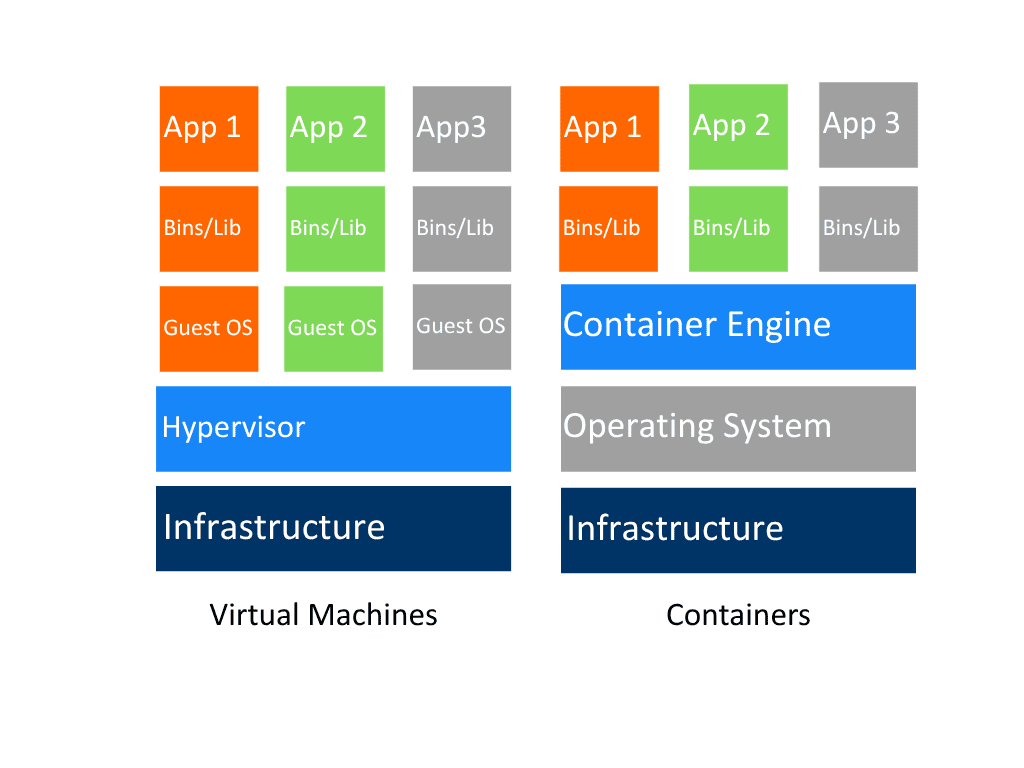
In practical terms:
A container runs the same way on your laptop, your on-prem servers, and your cloud provider.
Developers avoid the dreaded “works on my machine” syndrome.
IT teams gain consistent environments and faster deployments.
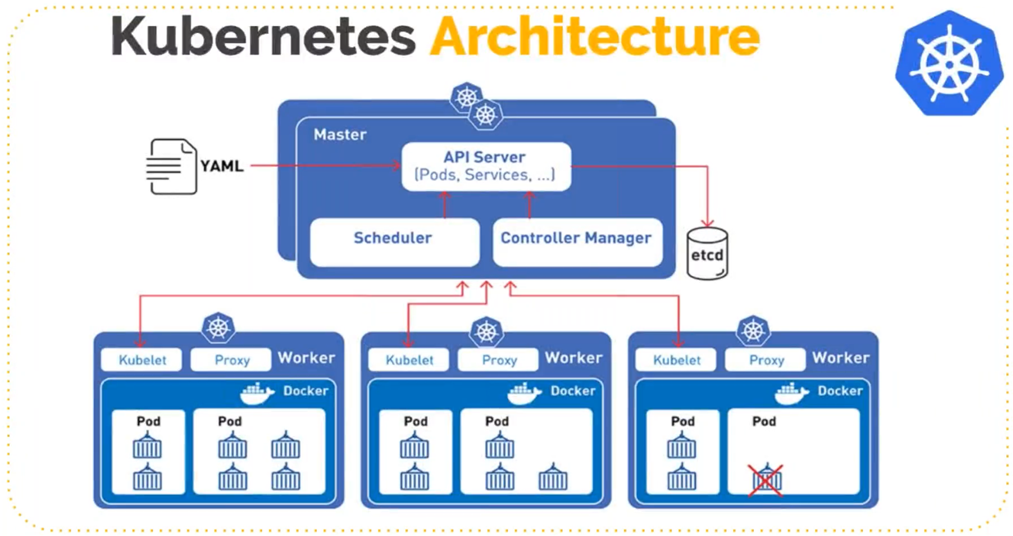
Kubernetes acts as a control plane for your containerized workloads. It decides:
When to start new instances (pods)
When to restart failed ones
How to distribute traffic across replicas
How to scale automatically when usage spikes
It’s like having a digital conductor ensuring that every service plays its part in perfect harmony.
How to Move Legacy Applications to Containers — Step by Step
Step 1: Assess and Plan
Start with an inventory of your applications:
Which services are stateless and easy to containerize?
Which depend on shared storage or legacy frameworks?
What configuration and networking dependencies exist?
Prioritize apps that bring high business value with low migration risk.
💡 Tip: Document environment variables, ports, and system dependencies. These will define your container boundaries later.
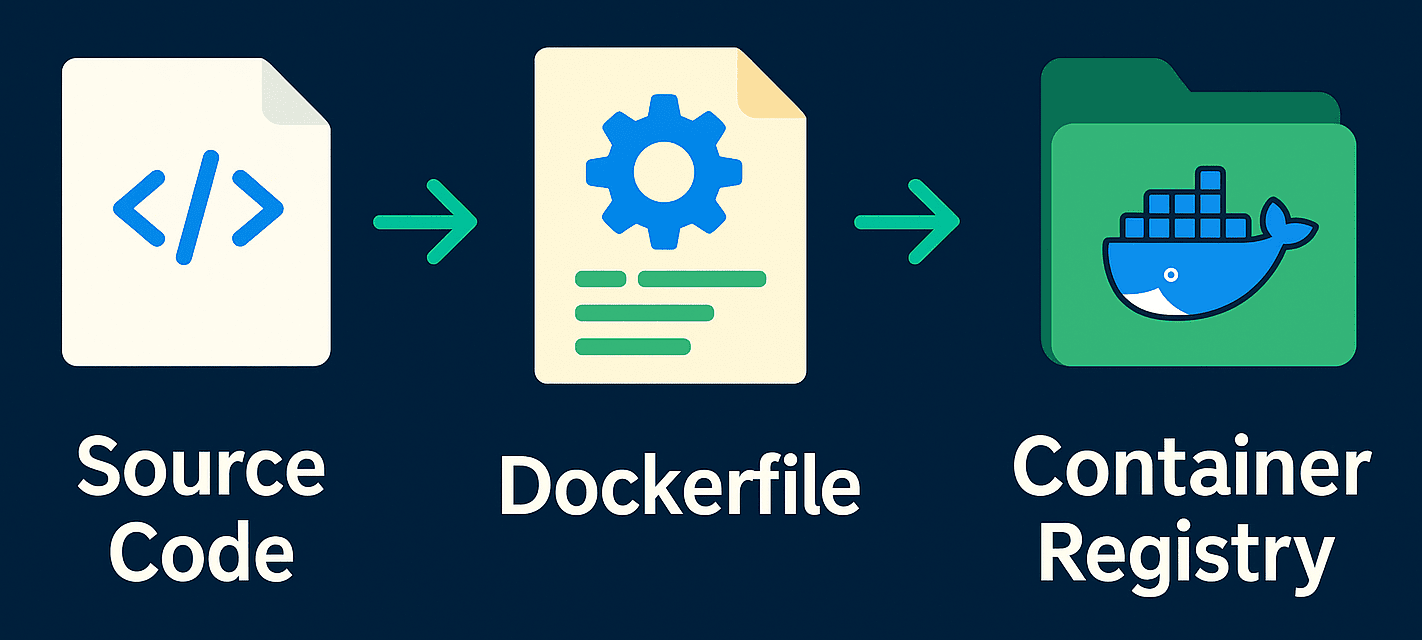
Step 2: Create a Container Image
FROM python:3.11-slimWORKDIR /appCOPY requirements.txt .RUN pip install --no-cache-dir -r requirements.txtCOPY . .CMD ["gunicorn", "-b", "0.0.0.0:8000", "app:app"]
Then, test it locally:
docker build -t myapp:latest . docker run -p 8000:8000 myapp
When you’re satisfied, push it to a container registry such as Harbor, GitHub Container Registry.
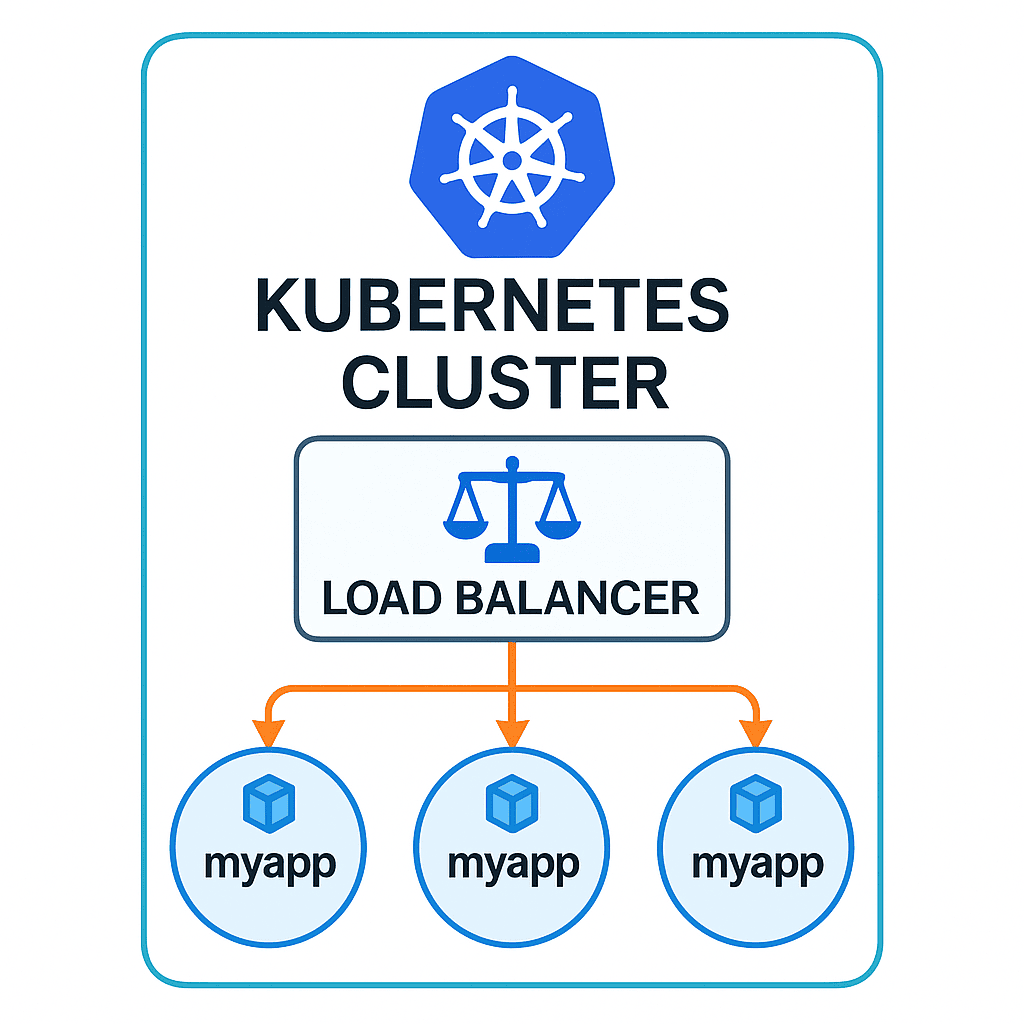
Here’s what a simple Kubernetes deployment looks like:
apiVersion: apps/v1kind: Deploymentmetadata:name: myapp-deploymentspec:replicas: 3selector:matchLabels:app: myapptemplate:metadata:labels:app: myappspec:containers:- name: myappimage: registry.local/myapp:latestports:- containerPort: 8000
Add a Service to expose it:
apiVersion: v1kind: Servicemetadata:name: myapp-servicespec:type: LoadBalancerselector:app: myappports:- port: 80targetPort: 8000
Deploy it all:
kubectl apply -f myapp-deployment.yaml kubectl apply -f myapp-service.yaml Your application is now running in a scalable, self-healing environment.
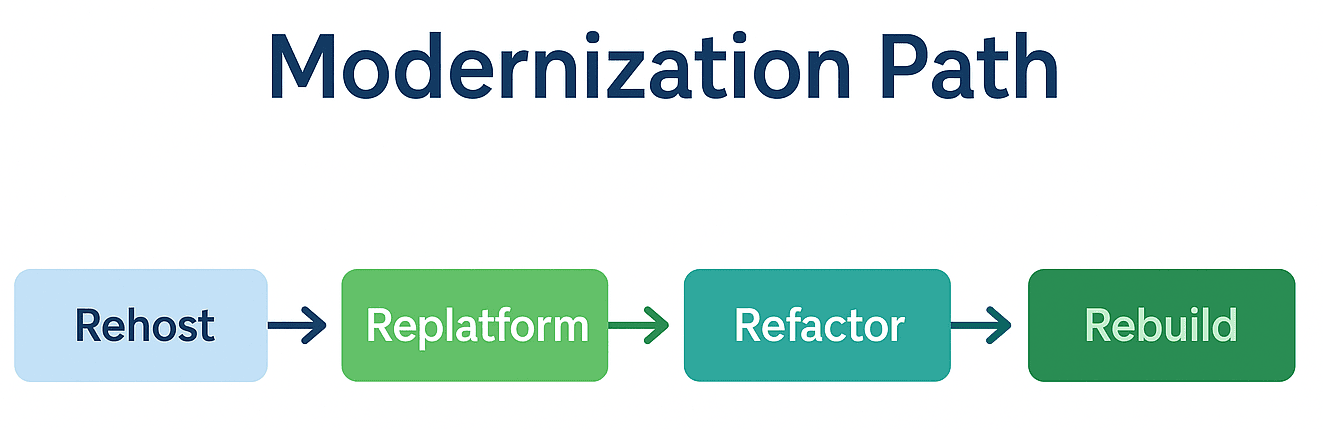
Every organization’s journey is different. The right approach depends on time, budget, and technical maturity.
| Strategy | Description | Ideal When... |
|---|---|---|
| Rehosting (Lift & Shift) | Move the app into a container without code changes. | You need quick wins with minimal disruption. |
| Replatforming | Make small modifications to improve portability. | You want better performance without rewriting logic. |
| Refactoring | Break the monolith into microservices. | You’re ready to embrace full cloud-native design. |
| Rebuilding | Rewrite from scratch using modern frameworks. | The legacy codebase no longer meets business needs. |
Most enterprises start with rehosting and replatforming, then progressively refactor over time — a pragmatic balance between innovation and risk control.
Beyond Migration: The Real Value of Containers and Kubernetes
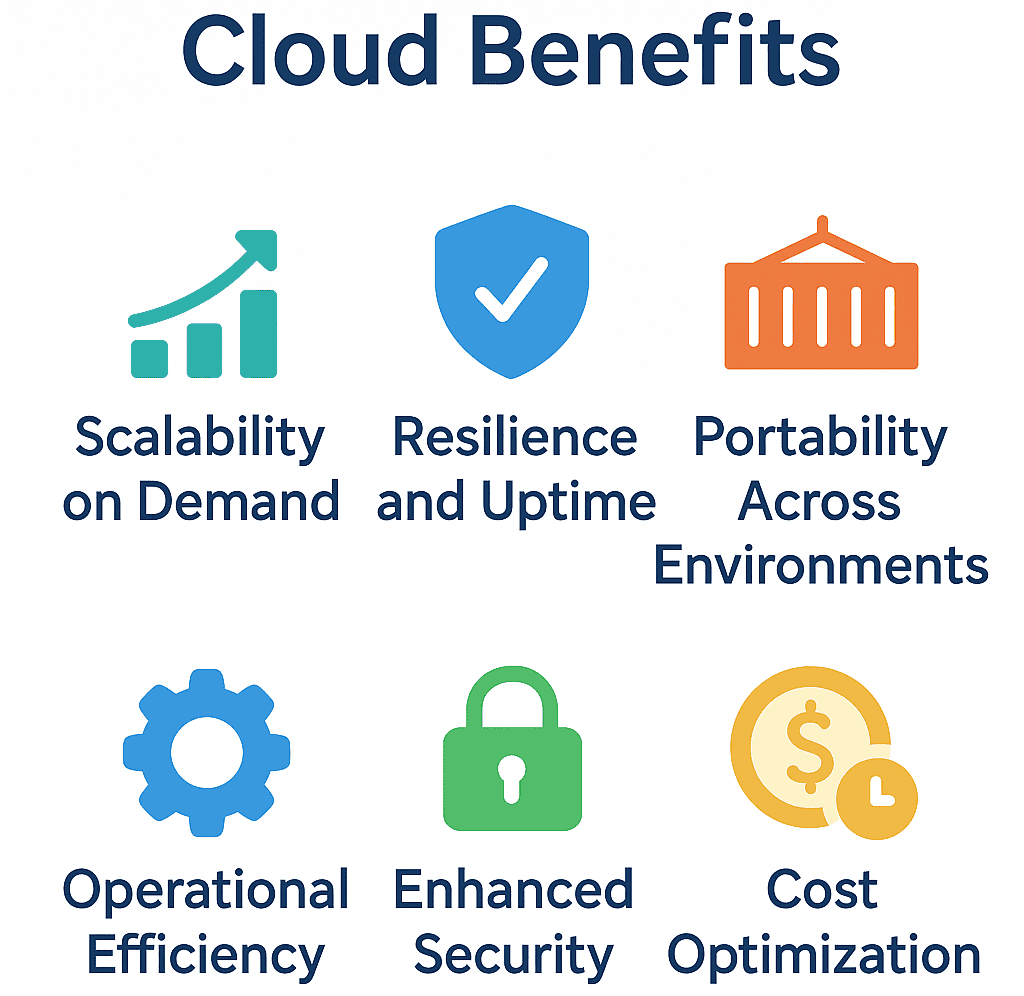
1. Scalability on Demand
2. Resilience and Uptime
3. Portability Across Environments
4. Operational Efficiency
CI/CD pipelines automate deployment. Teams ship updates faster, with less manual intervention and fewer configuration errors.
5. Enhanced Security
Containers provide process-level isolation. With built-in policies (e.g., OPA, Kyverno) and image scanning (e.g., Trivy, Clair), organizations maintain continuous compliance.
6. Cost Optimization
Dynamic scaling and better resource utilization lower both capital (CAPEX) and operational (OPEX) expenses.
The Next Step: AI-Driven Cloud Operations
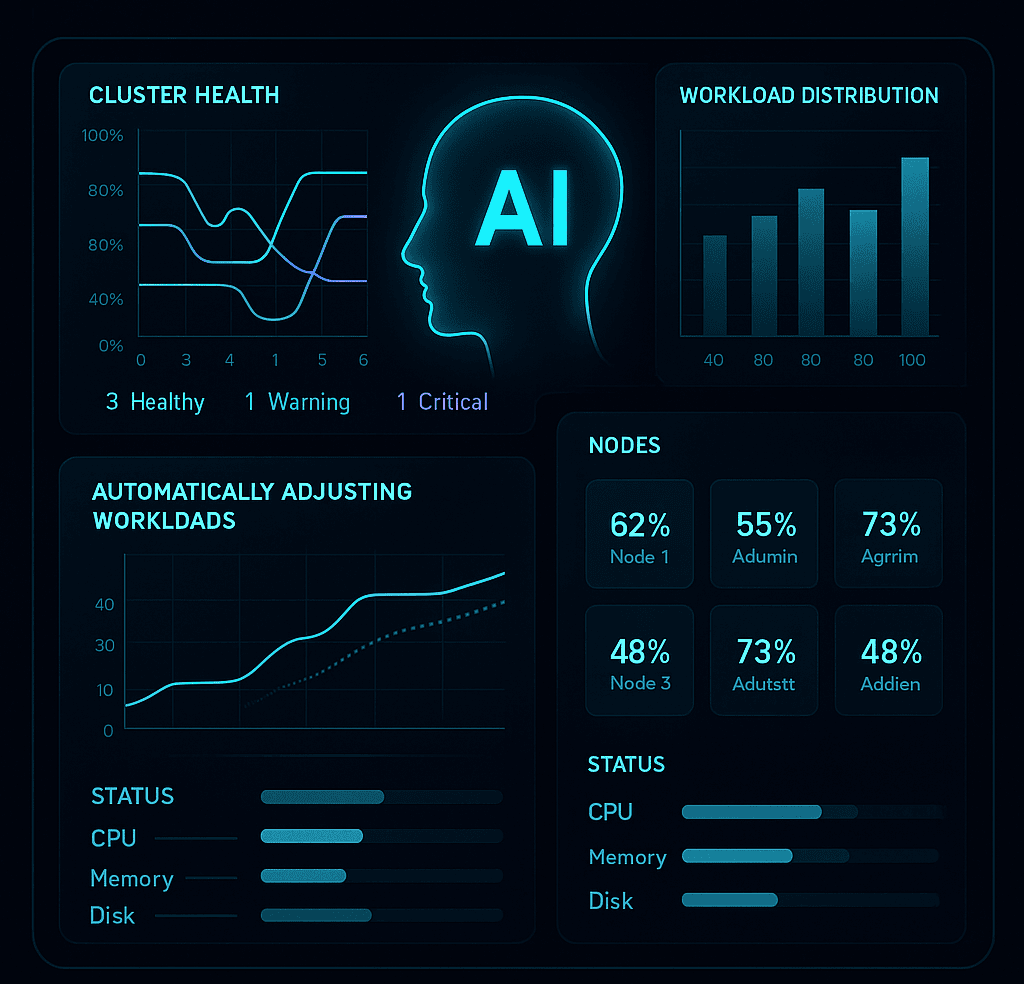
Predictive scaling: Anticipate workload spikes and adjust resources automatically.
Anomaly detection: Identify unusual patterns in performance or security logs.
Self-healing infrastructure: Diagnose and resolve issues before they impact users.
This convergence of AI and cloud-native infrastructure turns IT operations from reactive to proactive — a major leap in efficiency and resilience.
Strategic Takeaways for CIOs and IT Leaders
Containerization isn’t just an engineering decision — it’s a strategic enabler for digital transformation.
Here’s what matters most for decision-makers:
Start small, scale fast: Begin with a pilot app and iterate.
Adopt DevOps culture: Containers and Kubernetes thrive with automation and collaboration.
Invest in skills: Upskill teams in Docker, Helm, and Kubernetes administration.
Prioritize security from day one: Integrate scanning, RBAC, and policy enforcement early.
Leverage local cloud ecosystems: Platforms like AuroraIQ offer sovereign, cost-effective Kubernetes clusters tailored for regional compliance and performance needs.
By embracing containers today, enterprises position themselves for a future of self-managing infrastructure that drives both innovation and profitability.